
TenPayGo is a standalone app published by Tencent Technology, with official listings on both major phone stores — Apple's App Store and Google Play; the developer name on the listing is the identity check that separates the real app from imitations
Checked October 2026GUIDES / PAYMENTS
TenPayGo Registration: Tencent's Visitor Wallet, Set Up Safely
A standalone Tencent app that spends anywhere Weixin Pay is taken — if you download the real listing, link a card that cooperates, and keep a second wallet warm behind it.
City China14 min read9 facts labeledChecked 2026-10-30
01 · IN BRIEF
The counter where your card means nothing
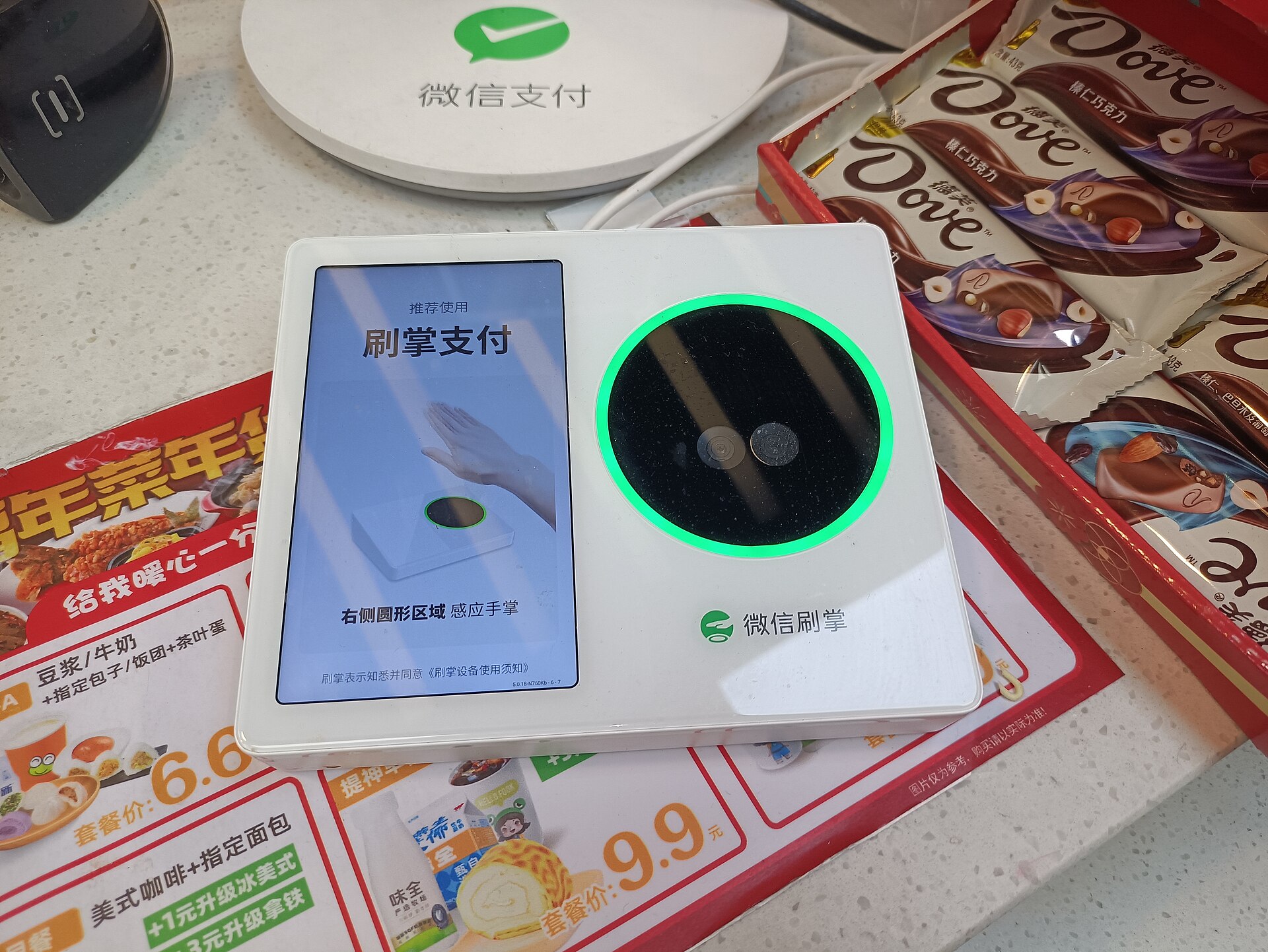
The noodle shop is six tables deep and moving fast, and when your bowl is done you do what you would do anywhere else on earth: you take out a bank card. The owner shakes her head, kindly, the way you would explain weather to a child, and taps the laminated code standing by the till. The student behind you pays by holding his phone vaguely in the direction of the counter and is already leaving. Nobody in this room is being difficult. You have simply arrived in the one major economy where the card in your wallet is the third-best way to pay — behind two phone wallets you do not have yet, and level with the cash in your pocket that the till may not be able to change.
TenPayGo exists because of that exact moment. It is Tencent's standalone app built for visitors: a wallet that spends on the Weixin Pay rails — the acceptance network behind the codes on a million counters — without asking you to first build your digital life inside the main WeChat app. The setup itself is short. The traps around it are not: imitation download pages, sideloaded Android files of unknown parentage, strangers offering to register the wallet for you in exchange for photographs of your passport. This guide separates the two — a calm, official registration done at home, on your own phone, one to two weeks before you fly — and then builds the backup stack that means no single failed scan can strand your day.

02 · SEE IT
Setup fortnight, in running order
- Day minus 14 — Install TenPayGo from your official app store and confirm the developer line reads Tencent Technology before the app ever asks you for anything
- Day minus 13 — Register the account, then link the first card and clear the issuer's approval check while you still have your home signal and your banking app behaving normally
- Day minus 12 — If identity verification is requested, complete it with your passport, slowly and exactly — this is a document-matching exercise, not a form to rush
- Day minus 10 — Build the second wallet: set up Alipay with an international card, ideally from a different bank than the card inside TenPayGo
- Day minus 7 — Warn both card issuers that China spending is coming, switch on transaction notifications, and save their overseas support numbers somewhere offline
- Arrival day — Before any taxi, train or ticket depends on it, make one small real purchase on each wallet and watch the merchant's screen agree that you have paid
03 · TRY IT YOURSELF
Set it up like someone protecting money, not installing a game
Your ticks stay on this page only. No account or personal data is sent.
04 · THE PROOF
The facts this guide leans on
The app is Tencent's visitor-facing payment product: its store descriptions present it as a way for travellers to spend anywhere Weixin Pay is accepted, across everyday ground such as shopping, eating out, transport, hotels, attractions, entertainment and health services
Checked October 2026Registration in the current flow is built around an email sign-in, a payment card, and — when the app requires it — identity verification against your passport, finished by whatever approval check your card issuer runs, such as a texted code or an approval tapped through inside your banking app
Checked October 2026No international card is guaranteed to link: the outcome turns on the issuing bank, the card type and country, and the app's own risk screening — which is why a second card from a second bank is the standard recovery, not a lucky extra
Checked October 2026The hazardous download is the unofficial Android package: a payment app will hold your passport details, card numbers and transaction credentials, so builds circulated through file-sharing sites or social posts expose exactly the data a traveller can least afford to leak
Checked October 2026A successfully registered wallet is not a universal key: particular merchants, mini-programs, ticket platforms and refund routes can run their own rules, and a card issuer can decline a live transaction even when the wallet itself is healthy
Checked October 2026China's official payment guidance for foreign visitors consistently presents mobile wallets, plastic cards and plain cash as parts of one cooperating system rather than rivals — the resilient traveller setup is a stack of methods, not a single champion app
Checked October 2026Payment setup belongs a week or two ahead of the flight: verification codes that never arrive, issuer reviews and identity checks all consume calendar time that a departure morning cannot supply
Checked October 2026WeChat Pay inside the main WeChat or Weixin app runs on the same Tencent acceptance rails as TenPayGo, which makes it the natural fallback when the standalone app will not activate for a given phone, store region or card
Checked October 202605 · STEP BY STEP
Registration, download to first real payment
- Step 1 — Download from the official store, and only the official store
On iPhone, open the Apple App Store; on Android, open Google Play. Find the TenPayGo listing and read the publisher line before you touch install: it must say Tencent Technology. Store availability varies by region and changes over time, and the developer name matters more than any screenshot in any guide — including the ones in older versions of advice you may have saved. If the listing does not exist in your store, stop here and build the WeChat or Alipay route instead. Under no circumstances substitute an APK file from a download site: you are choosing where your passport and card data will live, and 'a forum link' is not an address.
- Step 2 — Assemble the kit before the app asks for it
Registration goes smoothly when everything is already on the table: the phone the app will live on, an email inbox you can open right now, your passport, at least one international bank card — two, from different banks, if you own them — and your issuer's approval method, whether that is a banking app, a texted code or a 3D Secure page. Check the boring prerequisites too: the phone's system is updated, your roaming or travel data plan will work on arrival, and your bank knows a trip to China is coming. Half of all 'the app rejected me' stories are actually an issuer's fraud filter meeting an unannounced traveller.
- Step 3 — Create the account on the current flow
Follow the sign-in route the app presents today — the current version is built around email registration, though flows have changed before and will again, so treat older walkthroughs, including any phone-number-only sequence, as history rather than instructions. Use an email address you control and can reach from the phone in your hand, complete any verification code promptly, and pause before hammering the resend button if a code is slow: repeated requests can stack delays on top of each other. If a code never lands, check the spam folder and the address itself before concluding the app is broken.
- Step 4 — Link the card like a document, not a guess
Open the add-a-card flow — the exact wording varies by app version — and enter the details precisely as issued. Then clear the issuer's own checkpoint — the one-time code, the banking-app approval or the 3D Secure screen. A refusal at this stage is information, not catastrophe: it usually means the issuer blocked the attempt, the card type is unsupported, or a detail mismatched. Read the message, fix the specific thing it names, or move calmly to the second bank's card. What you must not do is improvise variations of your name or details across repeated attempts — mismatched submissions are how ordinary accounts earn themselves a manual review.
- Step 5 — Complete identity verification with your passport, verbatim
Should identity verification be demanded, understand what is happening: the app is comparing what you type against a government document, and it grades literally. Enter your name in the order the passport prints it, the document number exactly as shown, and take any required photograph in good light with the page flat and legible. If a check fails, the productive response is forensic: name order, a transposed digit, glare across the number. The unproductive response is sending your passport to any third party who offers to sort it out for you — that offer is the scam this entire guide is organised against.
- Step 6 — Set the security layer while you are calm
Finish whatever security method the app requires — typically a payment password — and choose one you can reproduce accurately while jet-lagged, in a queue, with a driver waiting. Turn on your bank's transaction notifications at the same sitting, confirm the device has a proper lock screen, and file your issuers' overseas support numbers somewhere that is not inside the phone they would be rescuing. This is also the moment to set a sensible daily awareness of your own spending: small payments in China are frictionless enough that a week of noodles, metros and convenience stores adds up invisibly.
- Step 7 — Build the backup stack the same week
With TenPayGo standing, give it siblings. Set up Alipay with an international card — a different bank's card, if you have one — because it is the closest substitute: traveller-facing, widely accepted, and independent of Tencent's systems. If TenPayGo refused your phone, region or card, build WeChat Pay inside the main WeChat app instead, since it spends on the same acceptance network. Then complete the unglamorous layers: the physical cards themselves, a modest float of yuan cash obtained after arrival, and the knowledge of where your hotel's front desk is — the unofficial payments department of last resort for travellers everywhere.
- Step 8 — Test small before anything depends on it
Registration ends at a counter in China, not on your sofa. On arrival day, when nothing is urgent, buy something trivial on TenPayGo — a bottle of water at the airport convenience store — and watch both screens: your confirmation, and the merchant's acknowledgement. Repeat once on the backup wallet. Only then let the stack carry real weight: the taxi across town, the train-station purchase, the attraction entry. A wallet tested at leisure almost never fails at pressure; a wallet first opened in a departure queue is a coin toss you chose.
06 · WHERE THIS BREAKS
Where the advice stops working
Your app store region can end the story at step one
Listings are regional, and if TenPayGo is not offered in your store's country, no setting inside the app fixes that. The correct move is sideways, to the official WeChat or Alipay setup — never downwards, to a sideloaded file. Travellers who reorganise their whole store account region for one app should weigh what that breaks elsewhere before doing it.
Card linking is the wall most people hit
Issuers decline for their own reasons — fraud heuristics, card type, country risk settings — and the app often cannot tell you which. The realistic toolkit is a second bank's card, a call to the issuer, and the humility to let Alipay or cash carry the trip if both refuse. A wallet that will not activate is an inconvenience; a traveller with no plan B is a problem.
A live payment can still fail at a specific counter
Acceptance is merchant-by-merchant at the edges: a stall may take Weixin Pay in principle while its particular setup chokes on a foreign-card-backed wallet, a mini-program may demand a local flow, a refund may only travel back along rails your card cannot receive. Registered is not the same as universally accepted, which is precisely why the stack — second wallet, physical card, cash — is part of the registration advice and not an appendix to it.
Identity review runs on Tencent's clock
A flagged verification can sit in review while your departure approaches, and repeated resubmission with slightly different details makes the file messier, not faster. Slow down, match the document exactly, use the app's own support channel, and let the backup wallet carry the first days if the review outruns your flight.
The 'registration service' is always a scam shape
Anyone — a website, a social-media account, a helpful stranger — who offers to register TenPayGo for you in exchange for passport scans or card details is asking for the two things needed to impersonate you financially. There is no legitimate version of this service. Every real step happens inside the official app, on your phone, with your documents staying in your hands.
Losing the phone escalates everything
In China your phone is simultaneously your wallet, your map, your translator and your ticket file, so its loss is a security event, not just an inconvenience. The mitigations are set up in advance: a strong device passcode, bank notifications on a channel you can still reach, issuer support numbers stored off the device, and one physical backup card kept separately from your daily wallet — in the hotel, not in the same pocket.
Screens and rules change faster than guides do
Button labels, sign-in routes, supported-card lists and store availability all move. This guide is written as a sequence of verifiable checkpoints — right store, right developer, matched document, cleared issuer check, tested payment — precisely so that it survives cosmetic change. Where the app in front of you disagrees with any description of it, believe the app, and re-check the listing through Tencent's official channels.
Conversion costs ride along invisibly
Every wallet payment made on a foreign card is, underneath, a yuan transaction that your own bank converts at its own rate — sometimes with a foreign-transaction fee layered on top. Neither TenPayGo nor the merchant sets that price; your issuer does, silently, purchase by purchase. Read the overseas terms of both cards you link before you fly and let the cheaper one carry the everyday spending. Across a fortnight of metros, noodles and convenience stores, a two- or three-point difference in conversion cost is real money spent on absolutely nothing.
07 · KEEP READING
Keep the trip moving
 China · PrepareHow to Pay in China (2026): Alipay, WeChat Pay, TenPayGo, Cards and CashSet up one wallet before you fly, add a second as backup, and understand the two numbers that explain most payment confusion.Reference ~
 China · PrepareInternet & eSIM in China (2026): Roaming, Travel eSIM, Local SIM and Wi-Fi ComparedYour phone will work in China. The real question is which internet it connects to — every connectivity choice is a choice between two exits.Reference ~
08 · SOURCES
Sources and status
Prices, schedules and booking channels change. Recheck the details that matter before you travel.
- Tenpay Global — Tencent's official cross-border payment siteVerifiedTencent's official channel for its visitor payment products, including TenPayGo
- TenPayGo on Google Play (publisher: Tencent Technology)VerifiedOfficial Android distribution point — verify the Tencent Technology developer line on the listing itself
- State Council English portal — services and visitor guidanceReference ~Government guidance for international visitors, including the official position that mobile payment, bank cards and cash operate as complements